

While preparing your next presentation, bear in mind that the average individual finds a regular PDF tiring and demotivating.
It doesn’t have to be that way. With the help of a PDF editor, you can turn standard PDFs into interactive, visually appealing documents. This way, readers can stay engaged enough to access important information within files.
Learn how interactive PDFs can transform business communication into a more immersive experience.
What is an interactive PDF?
An interactive PDF is a digital document that incorporates additional features such as multimedia, embedded forms, and navigational buttons. These interactive elements enrich the overall user experience and keep your readers hooked.
In recent times, brochures, slideshows, portfolios, office annual reports, conference booklets, and newsletters have become functions of interactive PDFs. Users can now access high-quality audio and visual media that offers further information on the subject.
These interactive features can be used to highlight key takeaways, showcase performance metrics, and direct users to relevant external pages. More often than not, building an interactive PDF will create a more memorable experience for the reader than static PDFs.
What kind of multimedia can you add to PDFs?
A PDF document usually contains a few links and regular photos. To make it interactive, you need all sorts of multimedia content that users can engage with when the PDF is hosted online.
URLs
Internal and external links are essential features to include in an interactive file for several reasons. Internal URLs can direct viewers to important resources on your website or email, while external links connect to external web pages.
Meanwhile, there are dozens of PDF editors online to help you neatly add hyperlinks to your document.
Audio and video
Sound and effects not only capture the reader’s attention but can set the right tone. Use eye-catching videos and audio files to show people what you offer and how the product will improve their lives.
Animation
With edit PDF free software, you can create PDFs with static or moving text and images such as GIFs, stickers, etc. If you’re feeling quite creative, transition effects such as page flips can also enrich the overall viewing experience.
Buttons
Clickable buttons are navigational tools that link people to essential sites such as your payment platform, contact email, or blog post. They may appear as call-to-action tabs with embedded links.
Forms
Use a PDF modifier online to create fillable forms to capture customer orders, contact info, and other queries. Interactive PDFs can conveniently integrate with CRM software so that this data can be easily extracted and managed.
Infographics
Infographics, which could be colorful graphs, tables, or charts, display all the essential data and figures so users can absorb them at a glance. If embedded properly, they can convey extra information.
Benefits of multimedia in PDFs
Choosing interactive PDFs over passive documents offers positive benefits for both the business and the end user. Here are some benefits of applying multimedia in PDFs.
Higher user engagement: Interactive PDFs persuade readers to engage with the text. By creating unique content using visually appealing elements, users are more likely to interact with your product.
Accessibility: Interactive files make content more accessible to most users. Software can edit PDF pages online, and these documents can be changed.
Security: Sharing interactive PDFs secured with passwords or encryption keys ensures the information only gets to authorized users. This is useful when handling sensitive business data.
Convenience: With the easy-to-use online PDF editor, you can include tons of multimedia within PDFs and still share them with ease. All you need to do is compress the file to a smaller size and upload it to your website or send via email.
Enhanced brand identity: Your content marketing strategy should employ interactive PDFs to ensure professionalism and encourage increased engagement. Providing a wide range of content helps you stand out from the competition.
Best practices for embedding interactive elements
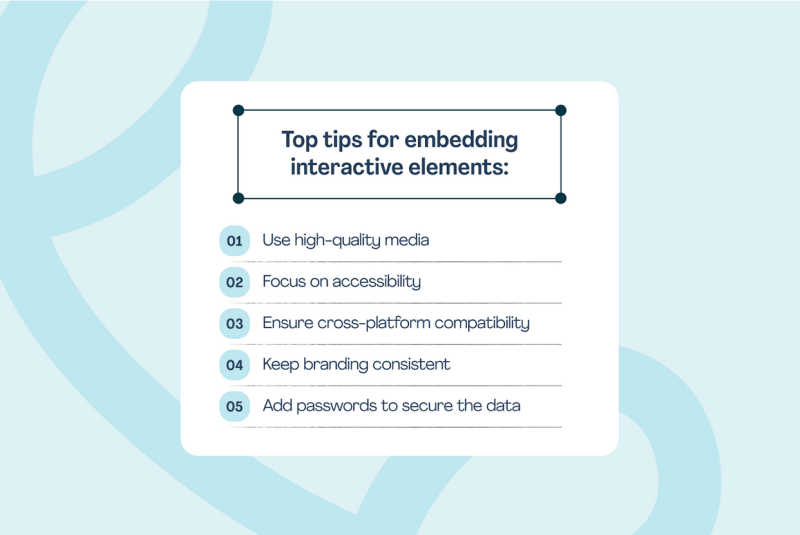
Interactive PDFs should help readers navigate your resources better. Here are tips for transforming your files to help you design efficiently.
Use high-quality media
When you edit PDF documents for business presentations, add images to keep readers’ attention for longer. Visuals break up chunks of text, making the information easily digestible.
After completing your research, use a PDF to editable PDF converter to edit and accompany the text with appealing visuals. The final product will have a more significant impact than plain text.
Focus on accessibility
Don’t clutter the file in an attempt to make it more interactive; ensure that every element serves a purpose. When embedding audio and video objects, make sure they don’t distract the user from the actual information.
Also, test that all the hyperlinks redirect to live pages. Be sure that the images render as intended and the videos are playing. However, note that not all PDFs will display every multimedia, depending on the PDF tool the reader is using.
Confirm cross-platform compatibility
Your clickable PDF should be functional across all devices. Many people prefer reading on their phones (for convenience), while others want to open office files on a desktop.
Design your interactive files so users can access them conveniently on any platform. You can check for cross-platform compatibility using PDF reader apps for handheld and desktop devices.
Keep branding consistent
Don’t just use interactive elements for the sake of it — multimedia should complement the text. If you’re creating a portfolio or marketing brochure, ensure that small portions of the text are supported with relevant links and bright images.
The PDF should also be consistent with your brand’s identity. Use related colors, graphics, and multimedia elements that reflect the idea behind your product or service.
Add passwords to secure the data
To avoid data loss or unauthorized access, password-protect sensitive data and content within interactive documents. You can also manage permissions and implement access controls as files move from one desk to another within the office.
Interactive PDFs can replace fillable forms, so it’s important to guarantee the security of customer information during data collection.
Conclusion
An interactive PDF is an upgrade to boring, plain text PDFs. Adding images, videos, links, and buttons provides context to your data and makes content more accessible.
The good news is that your audience expects you to create interactive content. To do this effectively, map the content, create your file using a PDF template from Lumin, and then incorporate visuals that complement the text.
Lumin offers multiple options for secure sharing, including creating a sendable link and embedding it on a webpage. Many customizable templates, a drag-and-drop editor, and PDF annotation features also make creating interactive files easier.